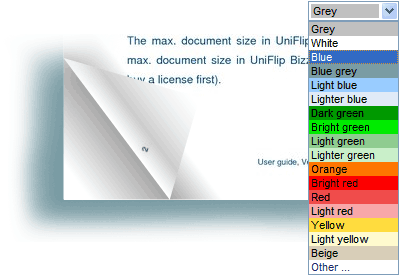

To make changes to your publication, click the Edit link that appears to the right of your publication. Change the background color and give your online Flip Flash publication a new look. Click on the “My publications” tab – click “Edit” next to the publication and select a new color. Final click “Save” and the Flash publication updates automatically.