
Facebook Marketing | Publish PDF Page Flip!
Get free access to two billions of new readers and customers | Publish your PDF in flip page format – Publich to Facebook
Grow the number of readers and visitors on your Facebook company page.
Convert your PDF into an interactive publication; insert web elements, videos, animations, links and much more on the pages.
Optimize your investment in traditional publications, and publish interactive PDF on your Facebook page.
Marketing | Publish PDF Flip Page on Facebook.
No encoding or programming required – Only simple 3 steps
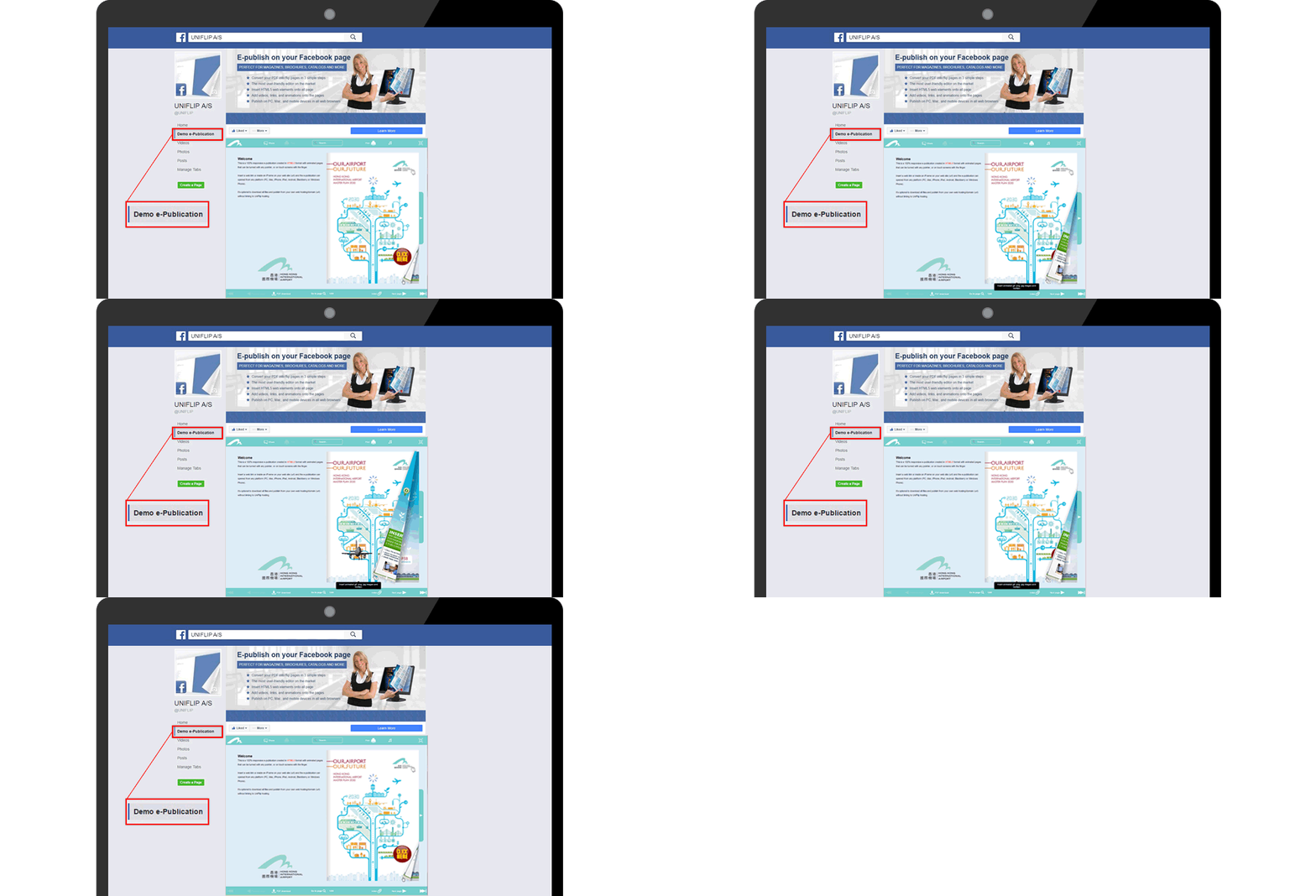
How to post your e-publication to millions of readers - It's free!
Please note, that if you do not already have a Facebook company page, you can set one up here – Facebook, before you continue.
After logging into your Facebook account, search for the plugin “Static HTML.”
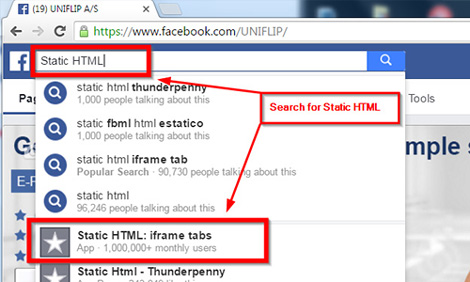
You can also visit the developer “Static HTML” and follow the instructions to set up the app on your account.
For instance, if you have more Facebook company pages, then choose a company page, and publish your PDF publication.
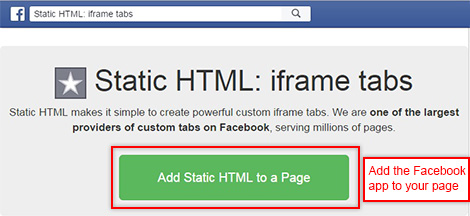
After adding “Static HTML,” click “Setup,” and a tab for your e-publication will be added.
Go to your UniFlip account and “Edit and publish” next to the PDF publication in the list view.
On the “Edit and Publish” page, you will find the iframe (embed) code below the tab “Publish online,” follow the instructions on “Static HTML.” You have now posted the PDF publication on your Facebook company page.
All changes and updates made on your UniFlip account will automatically update on your Facebook page in real-time.


Facebook Marketing: Your advantages!
Publish your PDF magazine, brochure, catalogs to more than 2 billion Facebook users worldwide – It’s free!