
Sell PDF to Flipbooks from Your website!
Make money and grow your business and make money; let your clients convert their PDF into Flipbooks from your website.
Resell PDF to Flipbooks – it is free!
Invite your website visitors to convert their PDF into Flipbooks on your website and make money.
How does this partner solution work?
You design and create a landing page and embed the PDF transfer form via your CMS system.
Your visitors can now transfer their PDF to your UniFlip account for conversion into a Flipbook.
When the conversion is ready, the system sends an email including the client information and a web link for the Flipbook to your email.
Follow up, contact your potential customer by telephone or by email.
Attract new customers, and you might become responsible for managing the new client´s future publications.
You want the UniFlip domain and brand to be invisible.
Buy the partner package and get an anonymous web link for the online Flipbook.
See an example of an anonymous web link here ».
The partner package also allows changing or deleting “Powered by UniFlip”, and publishing in your company name.
Enjoy!

Sell conversion of PDF to
Flipbooks from your Web site!
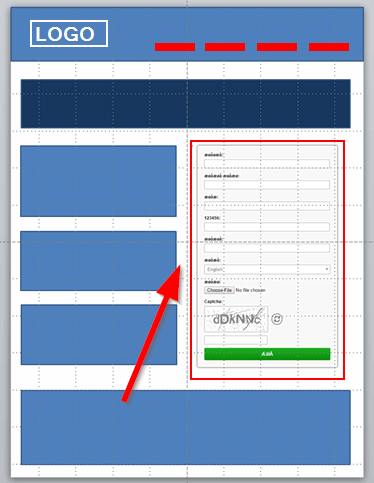
Create a landing page including the
transfer form on your website.
How do I earn money?
When using the new transfer form on your website, you can sell conversion of PDF to Flipbooks to existing and new accounts.
It is an easy solution developed especially for UniFlip users, and it is free.
Attract new customers with your new service
With the PDF transfer form on your website, you will get potential customers, and maybe even the future production of publications.
After conversion of a PDF on your UniFlip account, the system will email you a notification with the client information and a web link (URL) to the Flipbook.
You contact the customer by phone or via email and offer customization, modification, and optimization of the flip page publication.
Increase revenue from your existing accounts
Your current customers may already be using a different system for Flipbooks, and you may lose income and control of your client.
Inform your current customers and partners about the new service on your website, so that they can create flip page publications.
It is your business!
You set the prices, and of course, charge an hourly salary for setting up and customizing of the Flipbooks.
All communication will be between you and your customers, and we do not make any contact with your accounts.

What does it cost?
It is free for all users to embed the PDF transfer form from any web page (URL).
Save time and resources
The majority of our users are graphic designers, advertising agencies, SEO agencies, print companies, larger enterprises, webmasters, freelancers, PR agencies, etc., and the PDF transfer form, saves valuable time and contributes to increased profits.
Transfer your PDF directly from a browser on your PC or Mac computer to your UniFlip account, and the conversion to a Flipbook will start.
In this way, you can log in to your UniFlip account and edit, customize and publish when you have time.
Create guest users
In the section, “My account” you can create guest users and it makes the system perfect for larger enterprises, as you can collaborate with your team.
Buy the partner package and resell in your brand name
Publish the online Flipbooks from an anonymous web link, see an example here ».
The partner package also allows you to edit the default text, – “Powered by UniFlip”, Read more about the partner package
Increase your earnings;
embed the transfer form free on your web page!
What are the benefits of the partner package?
Use the system as your own without revealing that you are using UniFlip for the conversions.
- Publish your flip page publications via an anonymous web link (URL), which you can forward to your customers; see an example here ».
- Edit the text with “Powered by UniFlip” and insert your company name.
- Flipbooks uploaded from the transfer form are located in a separate folder, so it is easy to organize your UniFlip account.
- Embed your captcha code on the transfer form (for example, Google reCaptcha ).
The partner package is very popular among our users that resell flip page publications, and do not want UniFlip to be visible.
You will pay a one-time fee for a lifetime use of the partner package and can resell and publish in your brand name.
Combine with the “12 months of unlimited license package”
By combining the partner package and unlimited license package, you know the cost of using the system in a 12 month period.
You can activate, replace, and renew thousands and thousands of Flipbooks, and it will be cheaper the more Flipbooks you have online.
So get started selling flip page publications from your website and increase your earnings.

Start – Step by Step
1. Where do you find the PDF transfer form?
Go to “My account” and view the instructions for setting up and customizing the transfer form.
Advanced users with knowledge of HTML, can customize the entire design, and contact form (contact your Webmaster).
2. Change input field texts and warnings
You can modify the texts in the fields or delete fields you find unnecessary.
3. Test your PDF transfer form
Try using the form in the browser on your PC or Mac computer and see how the system works.
Customize texts and alerts, and click on “View the transfer form.”
Transfer a PDF and the conversion begins immediately on your UniFlip account after the system has received the PDF.
4. Where do I find the converted PDF?
On the left side on your account, you will locate the list of folders.
The first time you are using the transfer form, the system creates a new folder, and all Flipbooks will be in this folder.
5. Download the PDF transfer form
Go to the section “Download form” and follow the instructions; insert the form on your website.
Create a landing page on your website
Design and create a web page and combine the transfer form with targeted information for your visitors.
Remember to inform your clients about your new service via your newsletter.
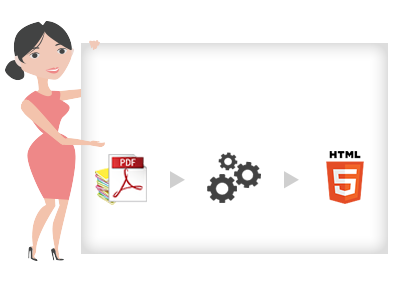
Upload your PDF and transform to flipping pages