
UniFlip Quickguides
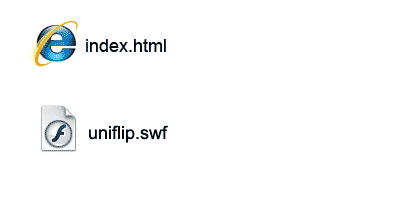
To publish from your server you must link to one of the following two files that are included in the downloaded folder: index.html – Running from Web servers or CMS hosting uniflip.swf – Embed in a iFrame, social media blogs and more FTP upload the folder to your Web server / hosting provider and insert a Web link to the appropriate file at your Web page. There are no Web server service restrictions, as you do not need to install any software. Consult your Webmaster to get help, if you do not have experience in uploading files via FTP.
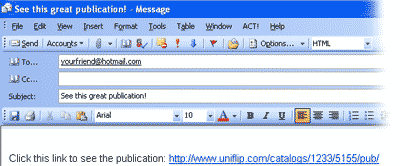
It’s fast and easy to send your new online digital publication by e-mail to business partners, customers, friends or family. Simply copy your publication’s internet address (URL) and insert the URL as a link in your e-mail. You can rename your URL link through your e-mail provider or application. For more information on this process, consult your email provider’s instructions.
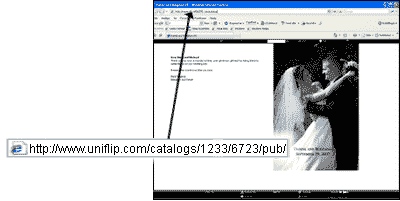
As soon as you have created your publication, it is safely hosted on the UniFlip server. Simply cut and paste the URL of your publication into an e-mail, and send it to your designated recipients. Or link from an animated banner at your homepage.
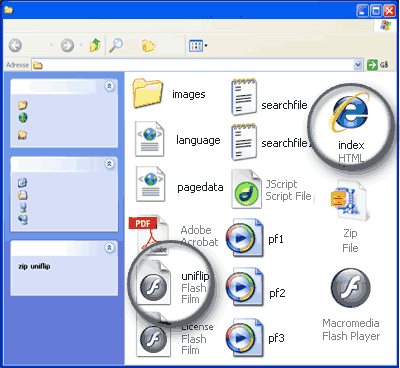
After extracting the zip file, you use the following files to publish: index.html ? for web and offline (PC, MAC, DVD, CD, USB) uniflip.swf ? Shockwave Flash (iFrame)
If you want to control the size of the publication or just want to incorporate it into an existing Web template, you can use an iFrame: iFrame (Inline Frame) adds a window inside your current Web template. Simply link your publication to the iFrame within your Web document, as we show below. The system will automatically prepare the iFrame code at the “Publish and Share” page accessible through your personal UniFlip account.
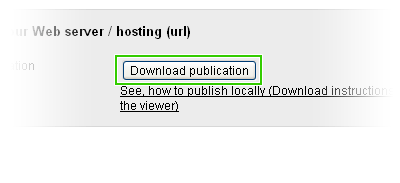
After you have purchased and assigned a license to a specific publication, you can download your files and publish from your Web server or CMS hosting provider. Click on the tab “Publish and Share” > Click “Download publication” > Save the folder on your computer > Extract the zip file before uploading to your Web server / CMS hosting provider. Remember: Once you have downloaded the files, they are yours free and clear. You can publish and distribute unlimited!
Customize the text and tool tips in the navigation menu or remove it completely. Open the language.xml file in a text editor and change the text. It’s important that you have some experience editing xml and that you make changes to the text carefully. There is a limit to the text length and it can’t be changed. Please note that customization of the language file is not supported by UniFlip, and we suggest that you make a back-up of the language.xml file before making any changes. Do not make ANY changes to other files, as you will loose the license.
Release date: October, 2010 Our approved partners can change the style of icons when the files are downloaded. More information to come soon…
Customize the text and tool tips in the navigation menu or remove it completely. Open the language.xml file in a text editor and change the text. It’s important that you have some experience editing xml and that you make changes to the text carefully. There is a limit to the text length and it can’t be changed. Please note that customization of the language file is not supported by UniFlip, and we suggest that you make a back-up of the language.xml file before making any changes. Do not make ANY changes to other files, as you will loose the license.
You can Autorun the .exe file with an application. The program enables the CD with your digital publication to start automatically when inserted in a computer’s CD/DVD device. Click on this link and follow the five simple steps to enable Autorun on your CD/DVD/USB: http://www.ezau.com/latest/articles/autorun.shtml Please note: AutorunPro is a FREE program. UniFlip does NOT provide support for this feature
Upload din PDF og forvandl til bladvende sider