
UniFlip Quickguides
Portable Document Format (PDF) documents capture and save a document exactly as it appears in its original program. A PDF document is beneficial because it cannot be altered after it is created, unless otherwise allowed by the document?s original creator.
To read PDF documents, you must have Adobe Reader installed on your computer; this program can be downloaded for free. Click here to get it now! To convert documents to the PDF format, you must have the Adobe Professional software program. Visit www.adobe.com to purchase the software. Visit www.adobe.com to purchase the software.
To convert for example a Word, Excel, Powerpoint document to PDF format requires a software which Adobe offers against payment. Note: Many companies already use software that converts documents to PDF. Talk to your administrator to learn if your company has PDF conversion software. CutePDF is a free PDF conversion program and can be downloaded from www.cutepdf.com www.cutepdf.com
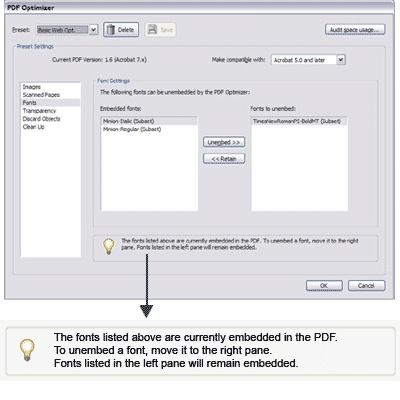
If the fonts are to be displayed correct in your online 3D publication, it is important to embed fonts when saving to PDF. Therefore, remember to set the PDF settings (PDF optimizer options) before uploading your file.
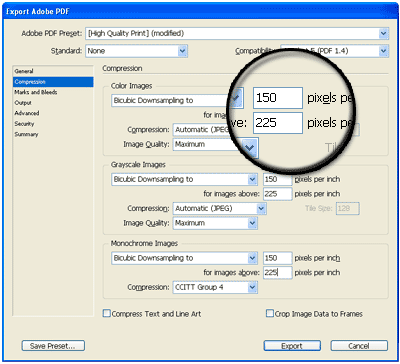
You don’t need to convert your PDF before the upload. However, it can improve the size of your file without reducing the quality. The UniFlip system converts your Word, PowerPoint or Excel file to PDF – without the need to download any software.
Upload din PDF og forvandl til bladvende sider