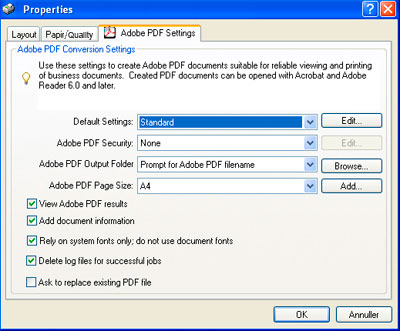

If your PDF couldn’t be converted or it looks wrong you can try to save in your PDF application again and make a new upload to UniFlip. When saving again use the settings shown below: When saving your PDF with these settings Adobe Acrobat cleans up the document and removes the worst errors in the PDF.